A control plane for developers
Supervise parallel work.
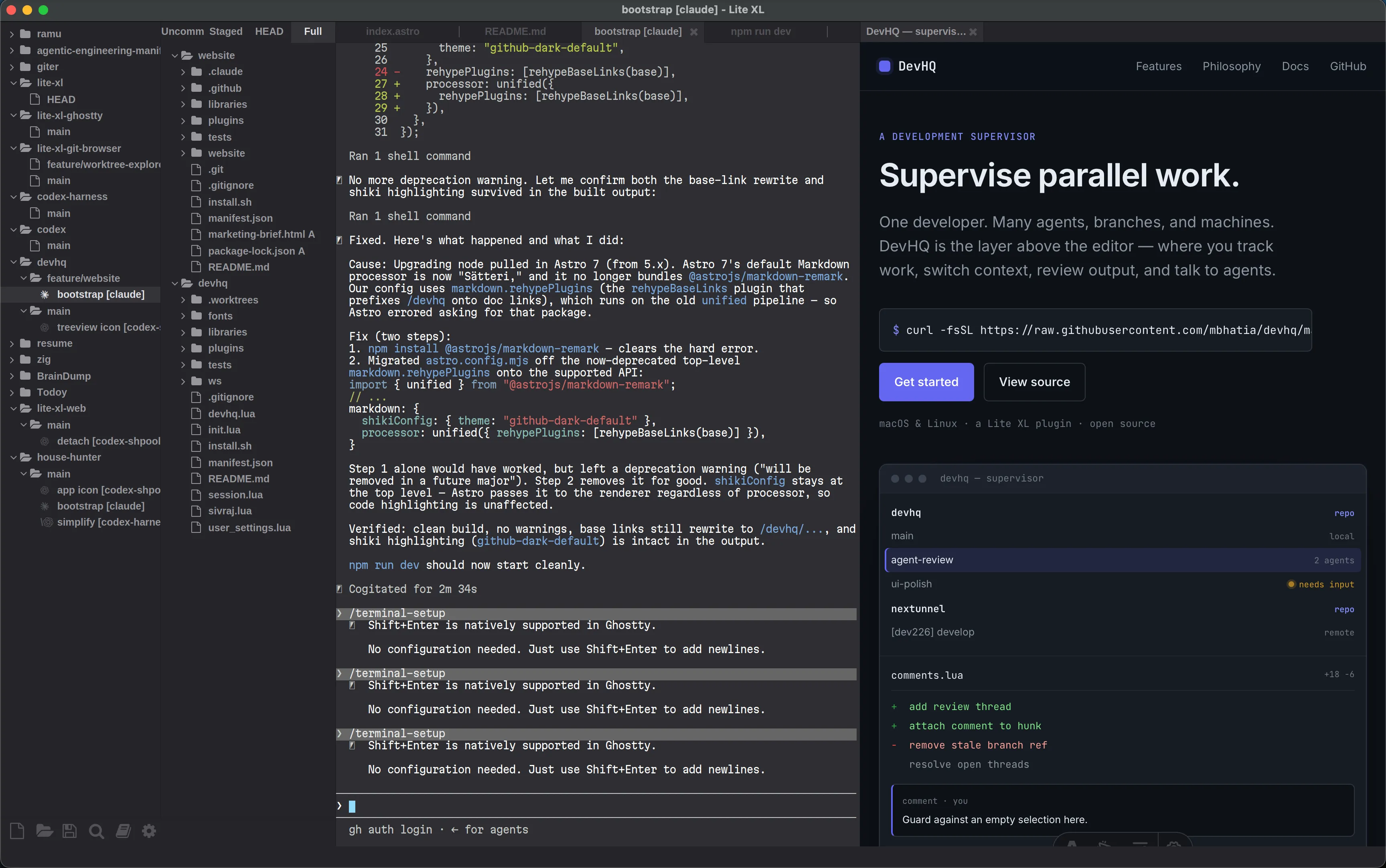
One developer. Many agents, branches, and machines. DevHQ is the layer above the editor — where you track work, switch context, review output, and talk to agents.
macOS · Apple silicon · signed & notarized · open source
Classic IDEs assume one task.
Agents broke that assumption.
An IDE is built around one active project and one active session. When a developer runs several agents across branches, worktrees, and remote hosts at once, that model stops scaling. You manage work, not files. DevHQ turns the editor into a control plane for work.
What it does
Full developmet workflow, one pane.
The loop a developer runs all day — contained in a single pane of glass.
See every workstream
A sidebar with all your repositories and their worktrees. Select one and the editor follows. Local and remote, side by side.
Supervise agents
Launch one or more agents from profiles into worktree-aware terminals.
Review the diff
See the whole project, or filter the tree to uncommitted, staged, or HEAD. Read diffs and comment inline in the editor.
Close the loop
Send comments directly to the agent working the branch.
Why it exists
Three convictions.
Code still matters
AI hides code behind natural language. You still own it. DevHQ keeps the agent, the code, and its context, one keystroke away — without the weight of a full IDE.
Work is not linear
You jump between agents and workstreams. You return to an idea weeks later. Git worktrees make open work visible, so nothing is lost between sessions.
Chat is a poor feedback tool
Prompts steer an agent in flight. They do not work well to provide contextual feedback. DevHQ gives you a local code-review loop with a tight feedback path.
In the box
Built for your daily workflow.
Repository sidebar
Add one repo or scan a directory. Group local and remote work under one name.
Worktree management
Create and delete local worktrees from the sidebar. Switch projects instantly.
Remote mirroring
Add server:/path/to/repo. DevHQ mirrors remote worktrees over SSH for local browsing and diffs.
Agent profiles
Configurable profiles. Default profiles for codex and claude.
Diff overlays
Additions, modifications, deletions in the editor view. Click for the full hunk.
Inline review comments
Select code, draft a comment, reopen from the gutter, reply, resolve.
Contextual terminals
Ghostty tabs open in the active worktree — or SSH into the remote one.
Persistent state
Repositories, worktrees, agents, and threads survive restarts and restore on load.
Get started
Install DevHQ.
Download the complete macOS app in one click. Linux users can install Lite XL, DevHQ, and its command-line tools with the script installer.